TASK CONTROL
Designed for iPhone and iPad
Download Station Managerfor Synology, on iOS.
Your NAS, always within reach. Search torrents and manage downloads from your iPhone and iPad.
Download on theApp Store
Coming soon
Requires iOS or iPadOS 17.0 or later
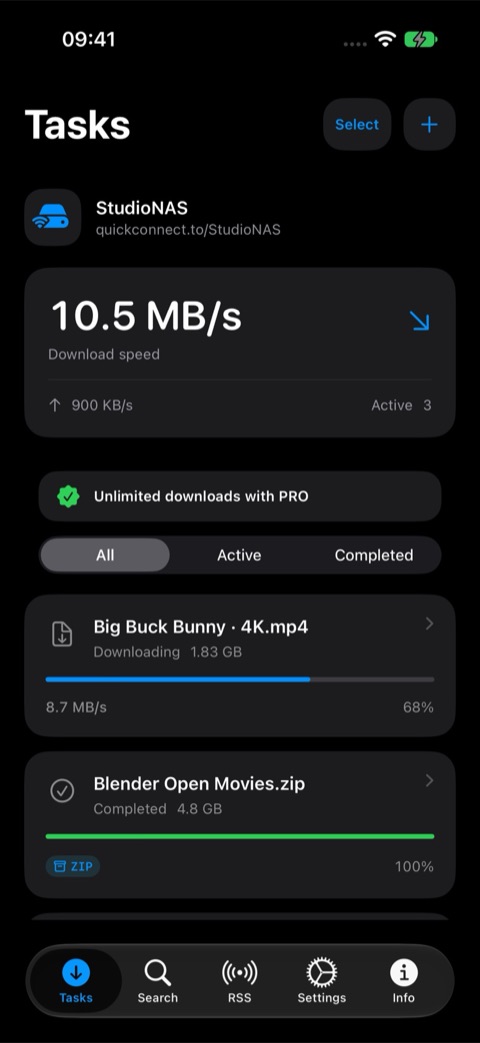
DirectConnection to your NAS
SecureCredentials in Keychain
CompleteDownloads and BT search
Your torrent on the NAS in three steps.
The mobile app for Synology Download Station on iPhone and iPad: search torrents, open magnet links and .torrent files, and manage NAS downloads with QuickConnect.
Connect your Synology NAS
Enter your QuickConnect ID and DSM account in the setup wizard. Face ID or Touch ID protect saved credentials; an OTP code is requested when needed.
Add a torrent or link
Search using Download Station providers, or open a magnet link or .torrent file with the app. Confirm the destination folder on your NAS.
Manage downloads on mobile
Track progress and speed, pause or resume tasks and inspect torrent files. The transfer keeps running on the NAS when you close the iOS app.
Manage Download Station.
From your iPhone.
Everything you need to manage Download Station without opening a browser.
BT SEARCH
Find. Choose. Download.
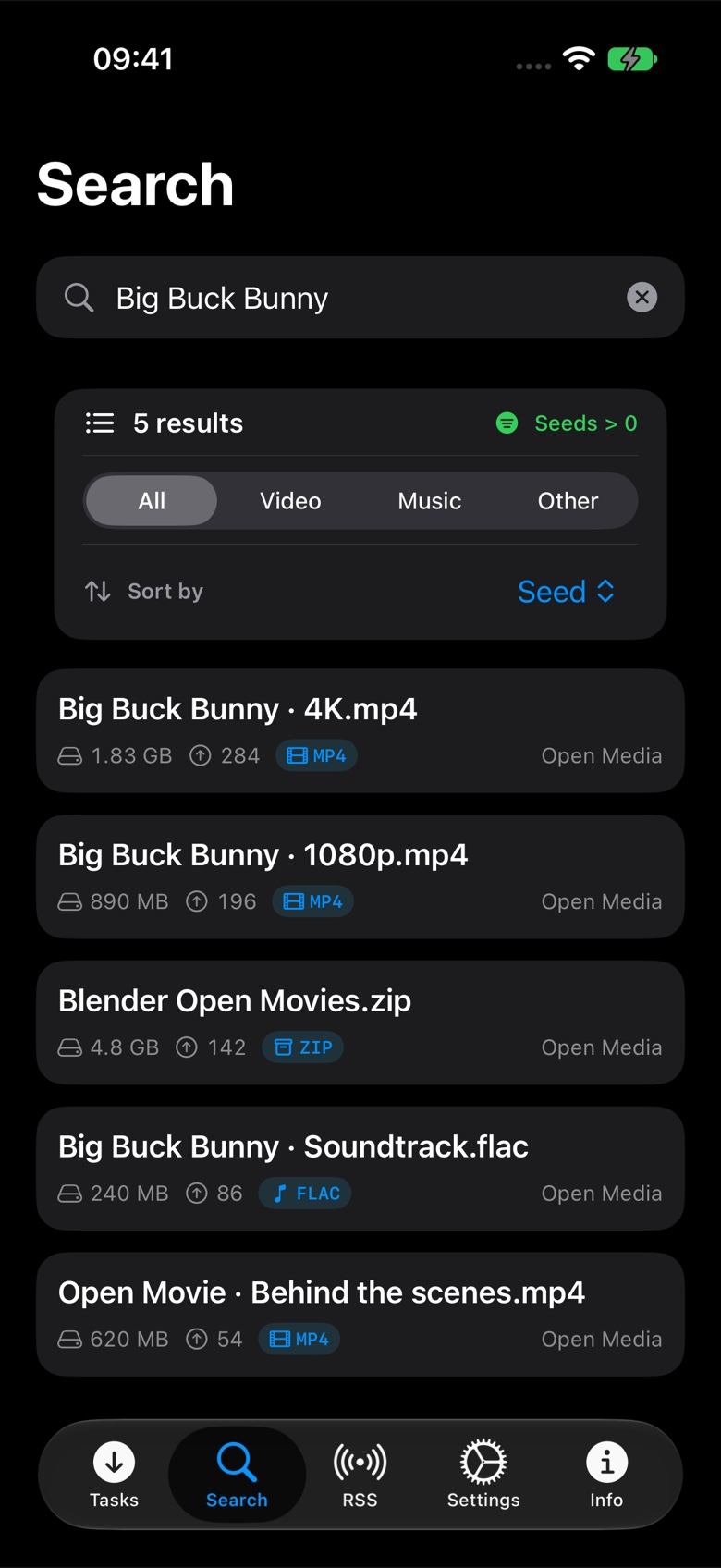
Search installed providers, sort results and hide torrents without seeds.NEW TASKS
Add links in seconds.
Open magnet links and torrent files from your browser, check duplicates and choose the NAS folder.REFRESH
Always up to date.
Set the automatic refresh interval that suits you best.TECHNICAL DETAILS
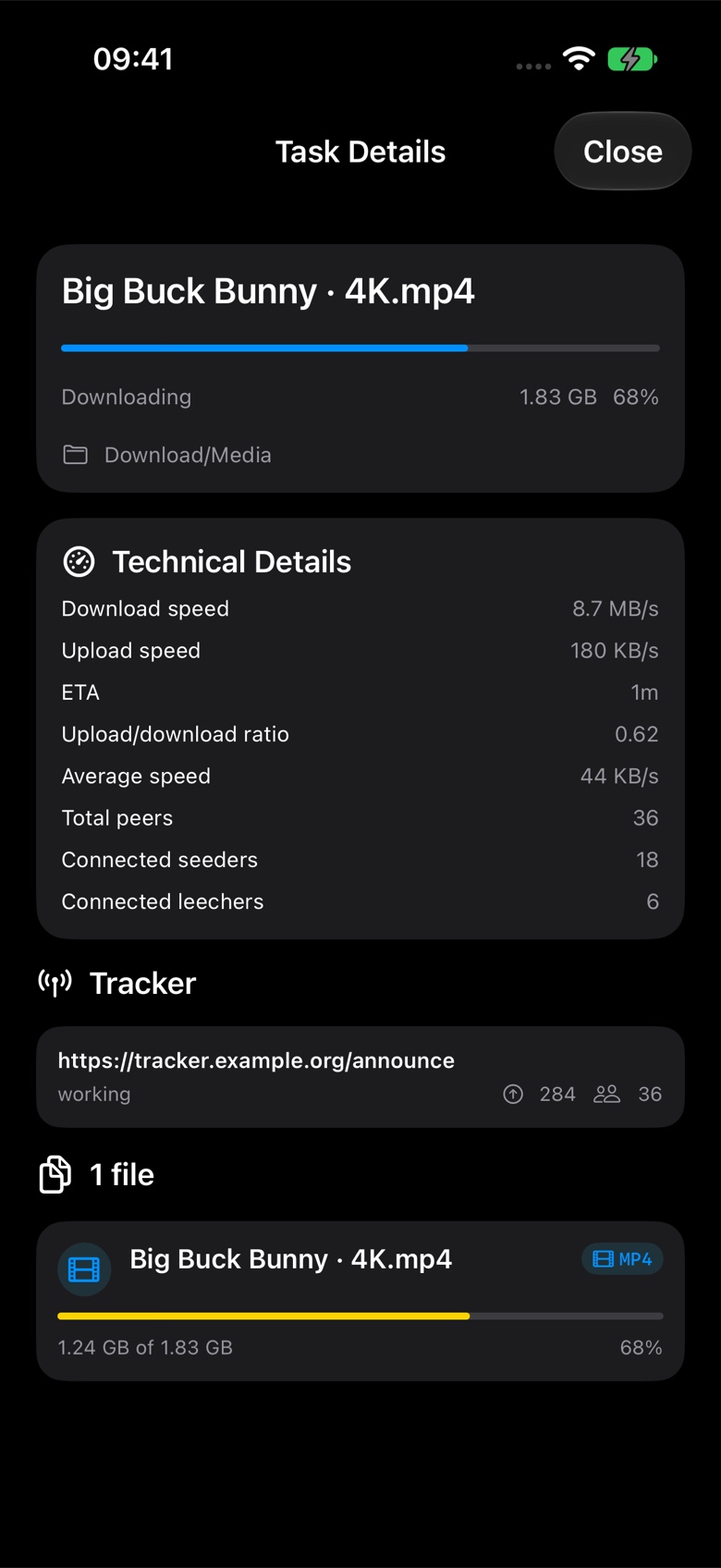
Every transfer, explained.
Check ETA, speed, ratio, trackers, seeds, leechers and connected peers.RSS · PRO
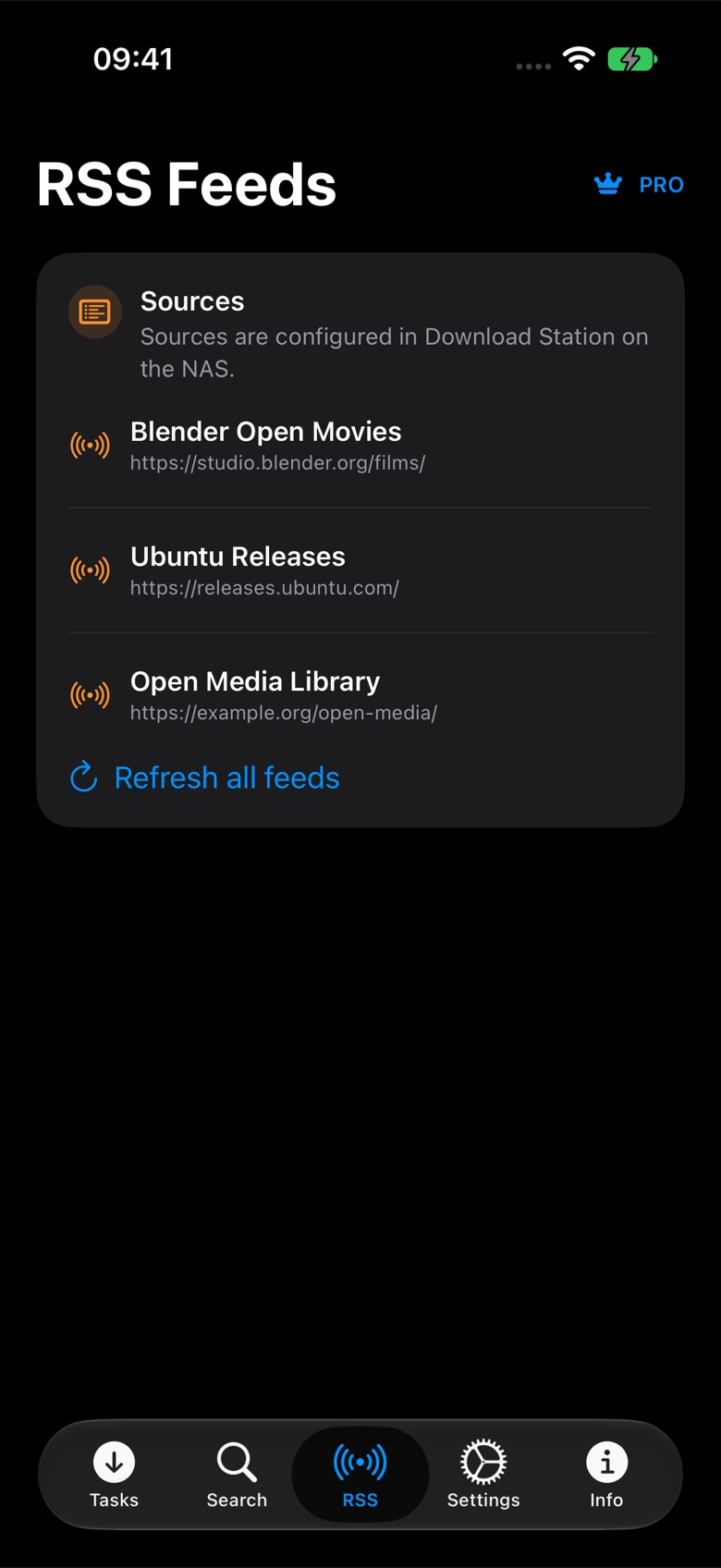
Your NAS feeds on iPhone.
Browse and refresh Download Station feeds and create a task from any item.DIAGNOSTICS
Always know what works.
Check QuickConnect, session, permissions and API availability directly in the app.NAS CONTROL
Speed and scheduling.
Manage global limits and enable Download Station scheduling with an administrator account.Inside the app
More information.
Less guesswork.
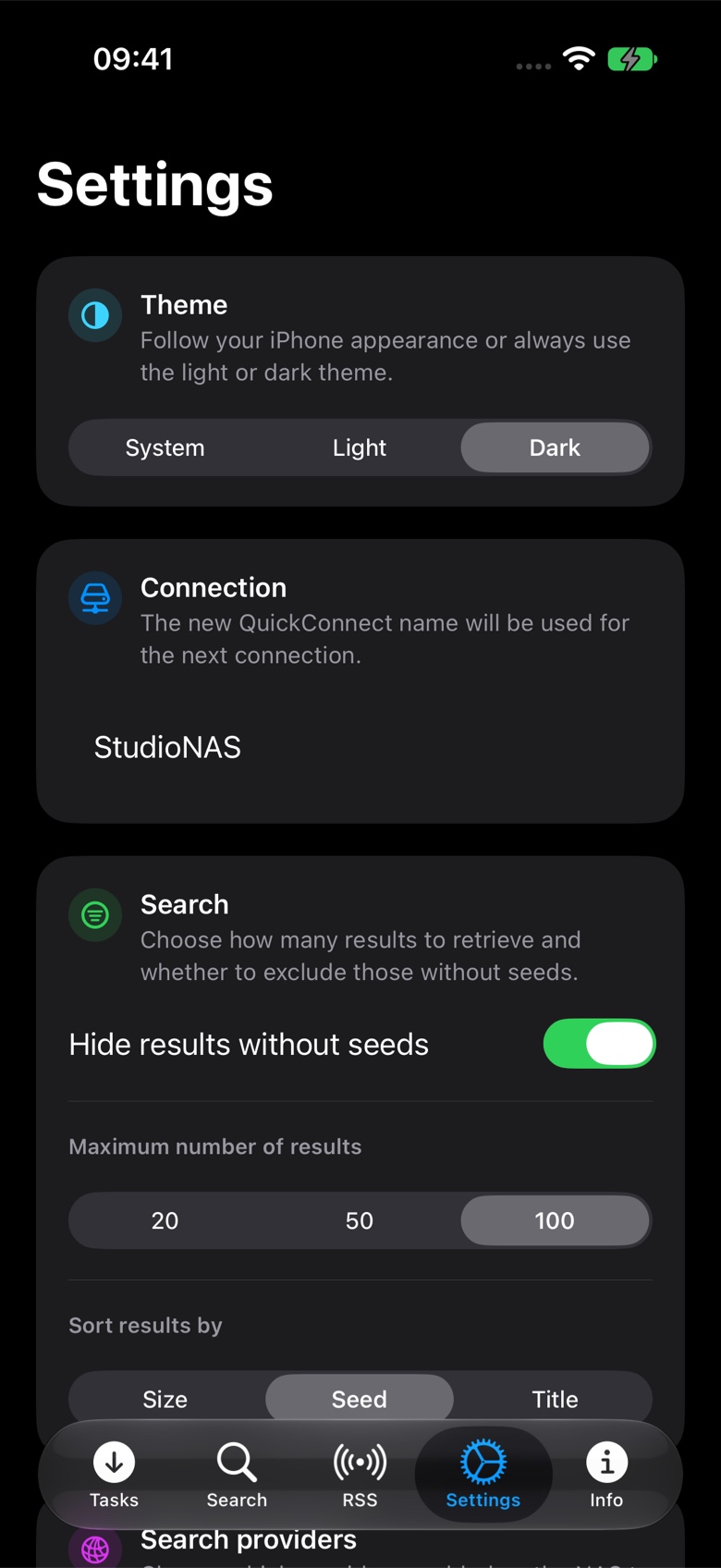
The new version puts the information you need to decide and act up front.
App screenshots with sample data. RSS and provider selection require PRO.
Your data stays yours.
The app connects directly to your NAS through QuickConnect and the DSM APIs. No external application server sits in between.
- Face ID and Touch IDProtect access to your saved credentials.
- iOS KeychainYour username and password stay stored on your device.
- Two-step verificationSupport for OTP codes and trusted devices.
What you need.
01iPhone or iPadWith iOS or iPadOS 17.0 or later.
02Synology NASWith DSM and Download Station installed.
03QuickConnectEnabled and configured on your NAS.
04DSM accountAuthorized to use Download Station.
Synology Download Station on iPhone: your questions answered.
What is Download Station Manager?
It is a mobile iOS app for controlling Synology Download Station (DownloadStation) from your iPhone or iPad. It manages tasks, torrent searches and links to your personal NAS.
Are torrents downloaded to the NAS or the iPhone?
Download Station saves files to the NAS folder you choose. Your iPhone acts as a remote control: this app does not download NAS content to the device.
Do I need a Synology NAS with Download Station?
Yes. You need DSM, Download Station, QuickConnect and an authorized NAS account. Torrent searches require at least one active BT Search provider. The app requires iOS or iPadOS 17.0 or later.
Can I add magnet links and .torrent files from iOS?
Yes. Open the magnet link or .torrent file with Download Station Manager, review any duplicate warning and confirm the NAS folder. You can also add a URL manually in the app.
Is Download Station Manager free?
The Free version allows two new tasks per day. Search and task management remain unlimited. PRO unlocks unlimited tasks, provider selection and RSS, with a monthly or yearly subscription or a 24-hour pass.
Is this an official Synology app?
No. Download Station Manager is an independent client developed by macslui and is not affiliated with or endorsed by Synology Inc. It connects directly to the NAS through QuickConnect and the DSM APIs.
Can I download the app from the App Store now?
The app is being prepared for release. This page shows the features of the current version; the App Store link will be added when it becomes available.
Coming soon to the App Store
Your NAS has never been
this close.
Download Station Manager will soon be available for iPhone and iPad.
Download on theApp Store